Marketing Automation: Definition, Benefits, & Tips to Get You Started

-
Last updated on: April 22, 2026
Technology never stops evolving, especially when it comes to automation. So, why should you?
When roosters at dawn became too annoying, we created alarm clocks. When our hands cramped from handwriting paper copies, we made machines that did the work in less time.
Marketing is no exception to this automation trend. While there are still a handful of marketing tasks that are best done manually, many can be automated thanks to the ever-evolving tech landscape.
Automation in marketing continues to become more prevalent. Meta, for instance, is even planning to fully automate its ad tools using artificial intelligence (AI) by next year.
Summarize with AI
What is marketing automation?
Marketing automation refers to using technology to complete marketing tasks automatically, reducing or eliminating the need for manual work.
The tasks in question can vary. Some of the most common types of tasks you might automate include:
- Sending out emails
- Sending bulk texts
- Gathering and organizing customer data
- Updating product inventory
- And more!
How can marketing automation benefit you?
Adding automation to your marketing has many benefits for your marketing team, customers, and your business overall. Here are some of the main ones.
Increased efficiency
The core benefit of marketing and sales automation is that it saves you time and effort that is better spent elsewhere. Without automation, you’d have to perform each marketing task manually. Talk about a hassle!
Without automation, you’d spend hours sending out the same email to countless recipients or manually updating your product inventory with each purchase.
With automated marketing, you can use a tool that automatically performs those time-consuming tasks for you, allowing you to focus on the more complex tasks at hand.
Improved customer experience
Automation can also lead to a better experience for your customers. Let’s say that a customer performs an action that requires a follow-up email. Marketing automation ensures they’ll receive that email immediately, as opposed to having to wait for you to type it all out again.
Better results and increased revenue
These benefits reduce costs and increase marketing effectiveness, leading to increased revenue. According to Nucleus Research, marketing automation has a return on investment (ROI) of $5.44 for every dollar spent.
Tips for using marketing automation
When you use marketing automation software, there are still some things you’ll want to do to ensure you’re getting the most from your automation. Here are a few best practices to keep in mind:

1. Segment your audience
Marketing automation is great for email marketing. With automation, you can set emails to go out to large lists of customers all at once. Our tip for using email marketing automation is to take the time to segment your audience.
Audience segmentation is where you divide your audience into different groups based on factors like location, age, or place in the sales funnel. By segmenting your audience, you can send different materials to each group that are specifically tailored to them.
Not sure how to execute this? Here’s our best practice: Create a separate email for each group. Since the emails are more specific, your audience will respond better to them and may be more likely to convert.
See our complete guide to CRM and email marketing for tips on using CRM for audience segmentation.
Powerful email marketing, minus the headaches
Email Marketing plugs directly into your CRM data, so you can create highly targeted audience segments, track the impact of your emails in real-time, and manage all your communications out of a single tool. Get started for free!
2. Run tests and analytics
Another tip to keep in mind is to test out different tactics for your marketing automation system. Creating the perfect automation takes time. Every marketing strategy requires fine-tuning, especially automated ones.
An SMS campaign, for example, needs to be measured and tested to ensure that text frequency doesn’t bother the audience. This may take multiple tries, but it will likely yield a better result in the long run.
For any automated marketing campaign, keep testing out different options and analyze the results as you go to make sure the automation is working out for you.
3. Rely on customer action points
Finally, when you set up your marketing materials to send out automatically, it’s best to schedule them based on specific customer actions.
If you want to send out an email to a customer to let them know about a new deal on one of your products, you could opt to send out that email when the customer signs up for a free trial.
Their action indicates an interest in trying out your product, making it the perfect time to send out an email about long-term paid plan options. This type of scheduling makes the automation less likely to over- or under-message users.
What types of marketing automation software are there?
You have lots of options when it comes to marketing automation tools, from all-in-one platforms to tools that specialize in a specific marketing channel. Here are the marketing automation software types you’re most likely to encounter.
Customer relationship management (CRM) software
There is one type of tool that’s particularly useful for automating multiple marketing channels as well as your sales process—CRM platforms.
Choosing a CRM can be a cost-effective and convenient option because you get many different features in one tool. A good CRM helps you to organize your contacts, collaborate across departments, and automate your sales and marketing processes.
Bear in mind that not every CRM will have marketing and sales automation features. Be sure to look for one that not only stores audience data but can also help you connect with those users and automate as much of that process as possible.
Social media automation tools
Social media tools are another popular type of marketing automation software. You can use these tools to plan your social media calendar, create content, and schedule posts in advance. Many social media tools also track engagement and provide analytics on your campaigns’ performance.
Social media automation software saves your team time because you can manage multiple social platforms in one place and schedule posts ahead of time rather than manually posting every day.
Email marketing automation tools
With email marketing automation software, marketers can manage email audiences, create and send emails, and track performance. Many CRMs also include these capabilities, but stand-alone email tools are available as well.
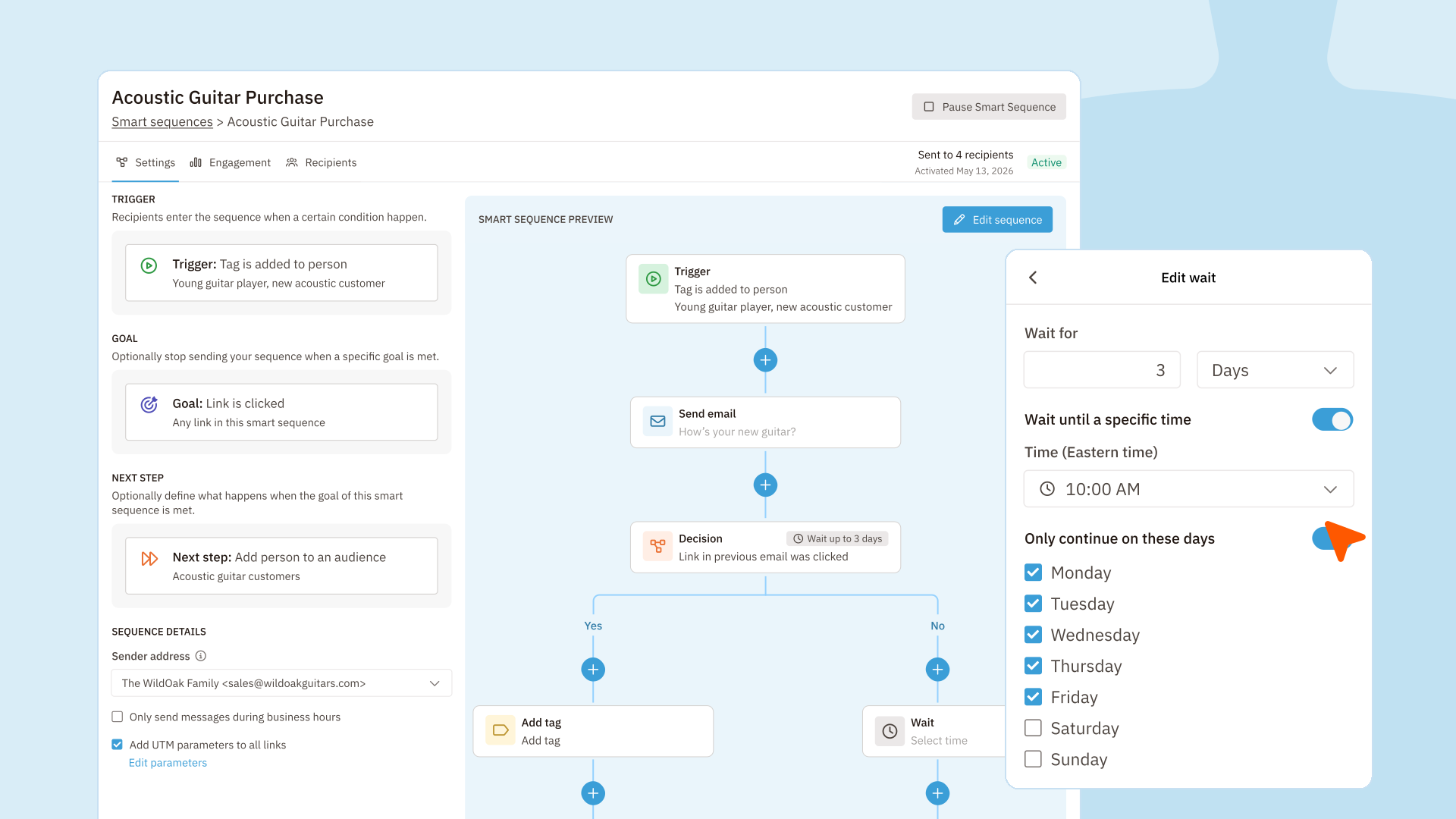
These tools often let marketers manage multiple types of emails, including newsletters and drip sequences. Drips can be especially useful, as you can set them up so that customer actions—like making a purchase or signing up for a free trial—trigger them to send.
Reporting and analytics platforms
Most marketing tools include analytics and reporting features, but dedicated reporting and analytics platforms let you dive deeper into your performance, evaluate your marketing across marketing channels, and incorporate automation.
These tools pull in data from various tools and campaigns. They then automatically perform analysis and create reports, making it easy to see how your marketing is performing overall.

Give your marketing automation a boost with Nutshell
If you’re looking for the perfect sales and marketing automation CRM, consider Nutshell. Nutshell can handle a variety of marketing tasks, from storing customer data to compiling custom reports to sending out emails and text messages.
And, of course, Nutshell can automate many of those tasks. When you import audience data, Nutshell can automatically sort it for you based on each person’s place in the sales funnel. You can also create landing pages and web forms to capture lead data and set up your marketing emails and SMS campaigns to send out automatically.
Want to try out Nutshell for yourself? Check out our free 14-day trial!
See Nutshell in action!
Try Nutshell free for 14 days or let us show you around before you dive in.
BACK TO TOPWritten by
Will Gordon Sr. Director of MarketingReady to try
Nutshell for Free?Thank you! Your submission has been received!Oops! Something went wrong while submitting the form.
Sales Performance Reviews: 9 Tips to Make Them Valuable
Published on: November 10, 2022Highly Effective Strategies for Elevating Sales Team Performance
Published on: November 10, 2022What Are the Top 3 Go-To-Market Strategies?
Published on: November 10, 2022Join 30,000+ other sales and marketing professionals. Subscribe to our Sell to Win newsletter!
- Product
- Nutshell Overview
CRM & Sales
Our powerful and easy-to-use flagship product.Marketing
Email marketing, forms, landing pages, and more.Engagement
Webchat, SMS, WhatsApp & more in your Omni-Channel Inbox.Prospecting
Prospect for new leads and new contacts in your CRM.Quotes & Invoices
Quickly create quotes & invoices in your CRM.
AI
See why Nutshell is the leading AI CRM.Integrations
Connect to Google/Microsoft and over 5,000 Apps.
ReportingCreate reports and forecasts in an instant.CRM Advisor
Get a dedicated point of contact to get the most out of Nutshell.Partner Marketplace
Find trusted partners to help optimize your Nutshell CRM.
- Pricing
Nutshell AI
- Resources
- Contact Us
Contact Sales
Send us your questions or book a 1-on-1 demo.Join a Demo
Join a group demo for a general overview of Nutshell.
Contact Support
Contact our support team via live chat in app or via email.Become a Partner
Refer businesses to Nutshell & earn commissions.
Contact Marketing
Questions about our website or our marketing opportunities?Careers
Join our growing team! See current openings.